> ## Documentation Index
> Fetch the complete documentation index at: https://nango-marcin-get-deployments-docs.mintlify.site/llms.txt
> Use this file to discover all available pages before exploring further.
# Workable - How do I link my account?
# Overview
To authenticate with Workable, you need one key piece of information:
1. **API Key** - Your Workable API Key.
This guide will walk you through finding or creating those credentials within Workable.
### Prerequisites:
* You must set up an account with Workable.
#### Step 1: Finding Workable API Key
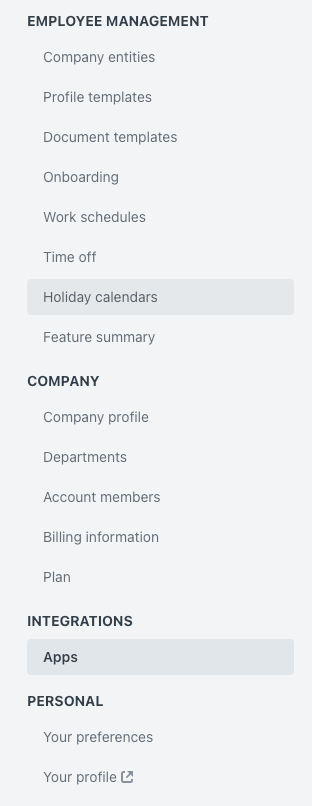
1. Log into your Workable account with admin access, open the drop-down menu on the top right of your screen, and select `Integrations`.
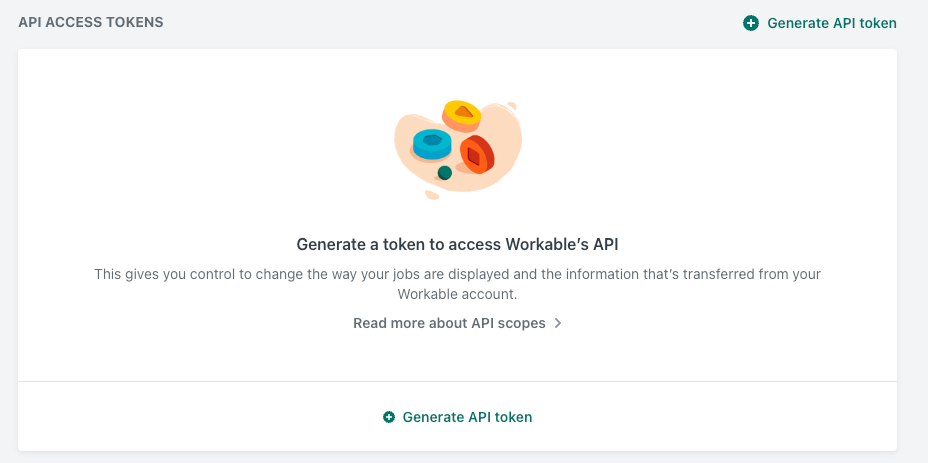
 2. Now click on the “Generate new token” button.
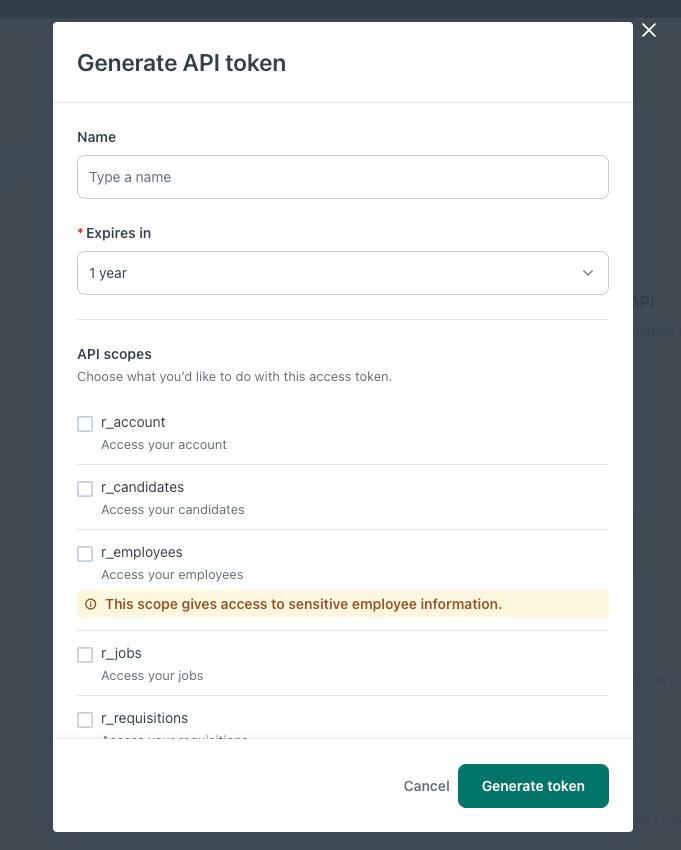
 3. Once you click the generate button, you’ll see the Generate API token form where you should specify the relevant scopes for your use case.
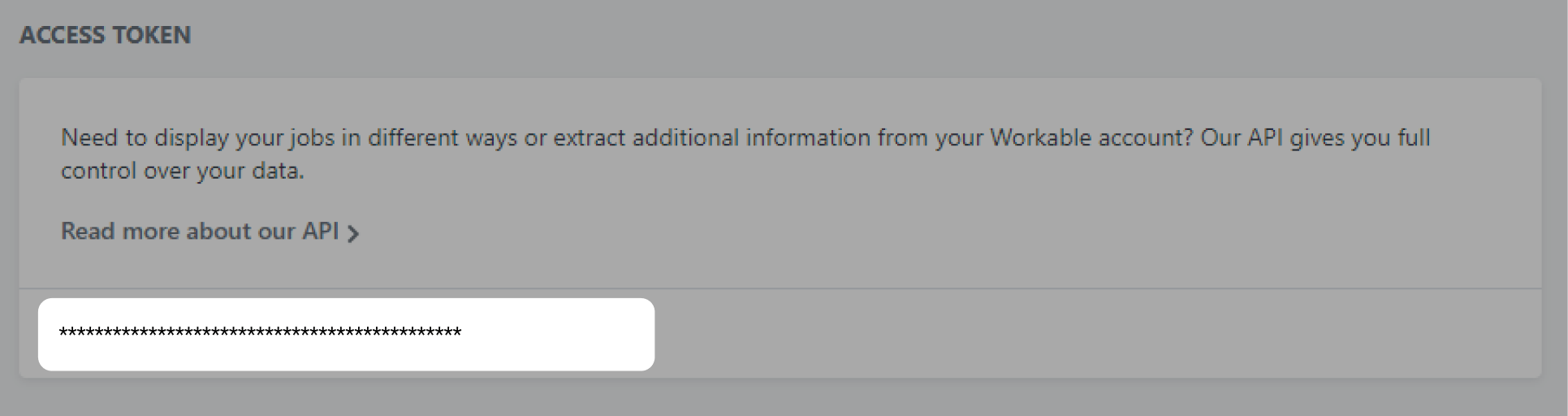
 4. Copy and retrieve your API Key and keep it securely.
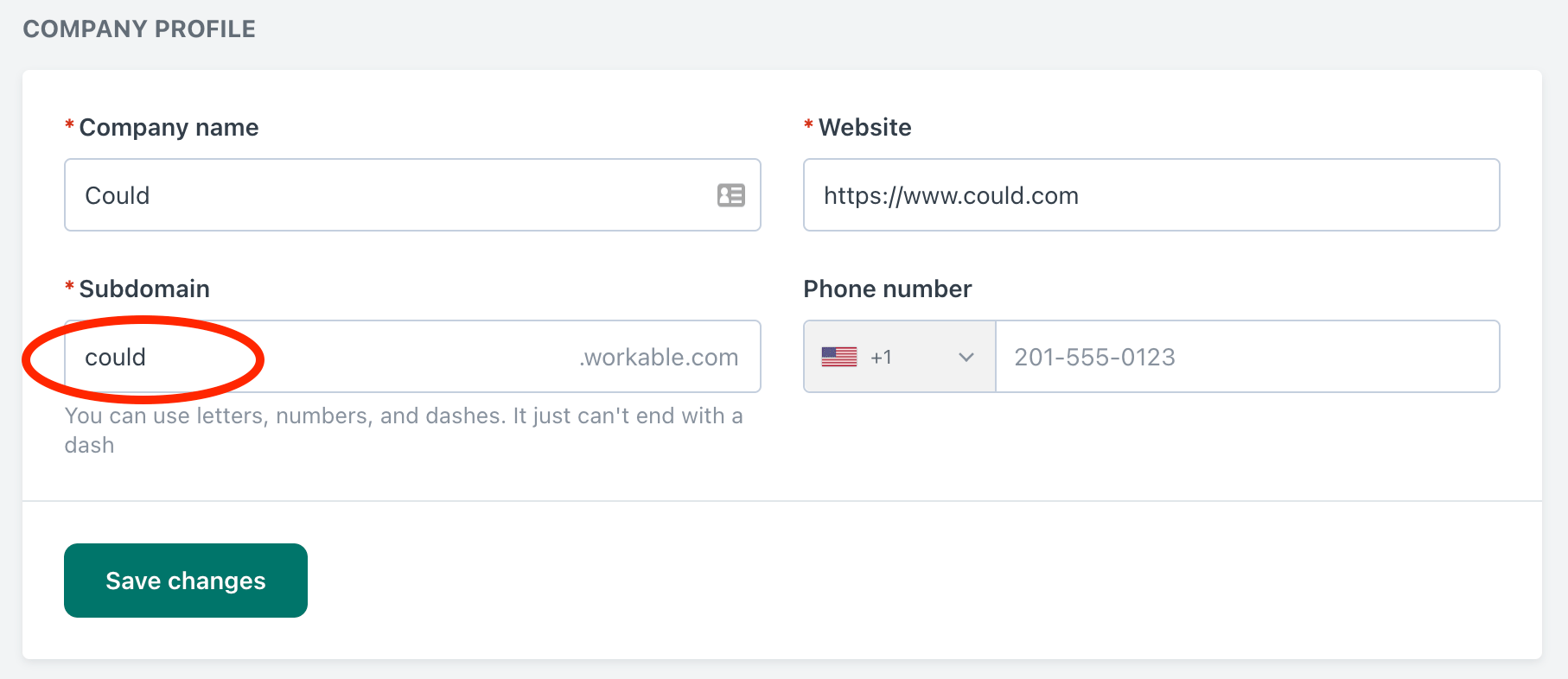
 5. You will also need the account subdomain, which you can find on the company profile settings page.
 #### Step 2: Connect Your Workable Account
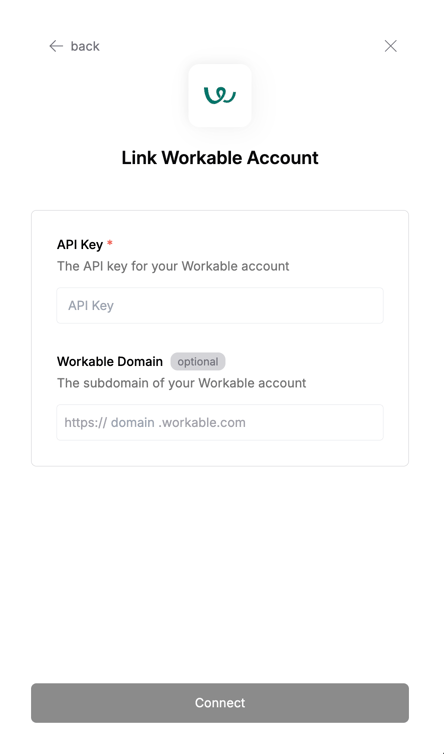 To authenticate using your API credentials, navigate to the Workable authentication form.
Enter your credentials as follows:
* API Key: Your Workable API key
* Workable Subdomain: Your Workable subdomain
Click "Connect" to complete the authentication.
To authenticate using your API credentials, navigate to the Workable authentication form.
Enter your credentials as follows:
* API Key: Your Workable API key
* Workable Subdomain: Your Workable subdomain
Click "Connect" to complete the authentication.