> ## Documentation Index
> Fetch the complete documentation index at: https://nango-marcin-get-deployments-docs.mintlify.site/llms.txt
> Use this file to discover all available pages before exploring further.
# Roam SCIM - How do I link my account?
# Overview
To authenticate with Roam SCIM, you need one key piece of information:
1. **SCIM API Token** - A token generated from your Roam organization settings to authenticate SCIM requests.
This guide will walk you through the steps to generate and use this token to connect your Roam account.
***
### Prerequisites:
* You must have an Roam account.
* You must have a verified domain for your organization.
* The logged-in user must have the necessary admin privileges to generate the SCIM API token.
***
## Step 1: Finding Your SCIM API Key (token)
1. Log into your [Roam account](https://ro.am/r/)
2. Go to **Settings > Roam Administration**
3. Click on **Technical Setup** in the left sidebar
4. In the **Automatic User Provisioning (SCIM)** section, select **Enable SCIM**.
5. The SCIM configuration will be shown, click on **Reveal API Key > Copy** to copy the generated Bearer token to your clipboard.
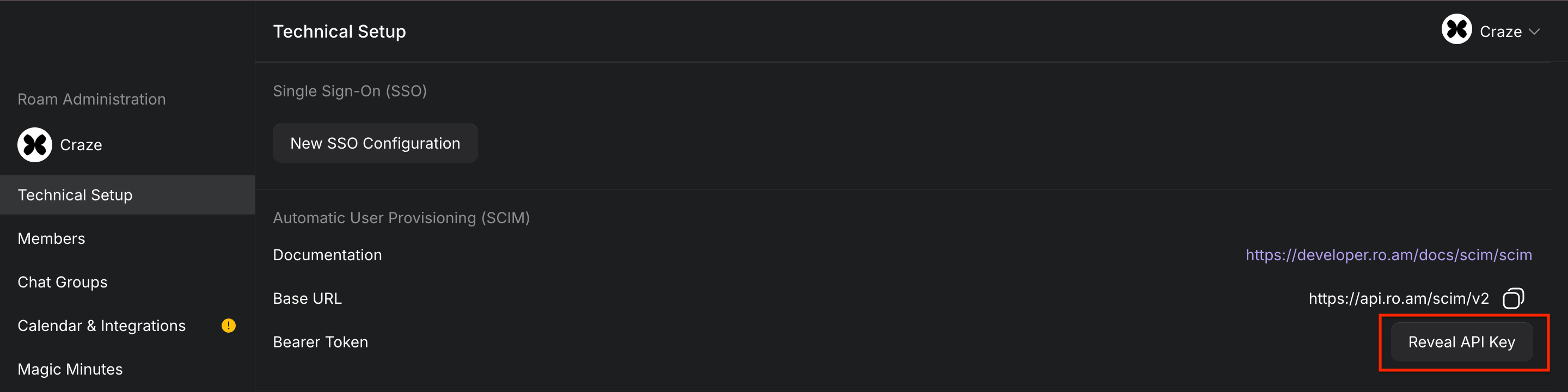 Copy and store your API Token securely.
***
#### Step 2: Enter credentials in the Connect UI
Once you have your **SCIM API Token**:
1. Open the form where you need to authenticate with Roam SCIM.
2. Enter your **SCIM API Token** in its designated field.
3. Submit the form, and you should be successfully authenticated.
Copy and store your API Token securely.
***
#### Step 2: Enter credentials in the Connect UI
Once you have your **SCIM API Token**:
1. Open the form where you need to authenticate with Roam SCIM.
2. Enter your **SCIM API Token** in its designated field.
3. Submit the form, and you should be successfully authenticated.
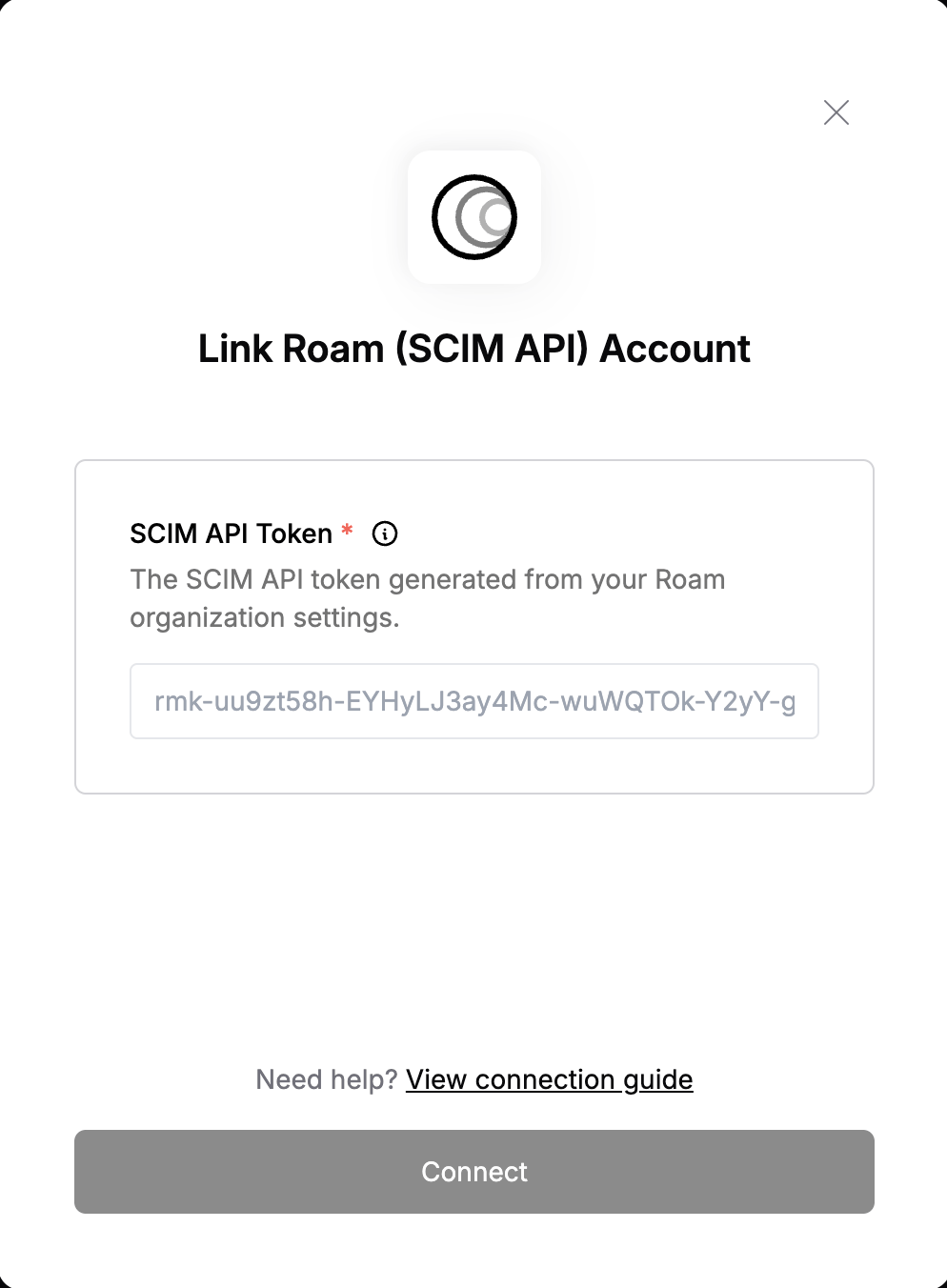 You are now connected to Roam SCIM.