> ## Documentation Index
> Fetch the complete documentation index at: https://nango-marcin-get-deployments-docs.mintlify.site/llms.txt
> Use this file to discover all available pages before exploring further.
# Klaviyo - How do I link my account?
# Overview
To authenticate with Klaviyo, you need one key piece of information:
1. **API Key** - Your Klaviyo private key.
This guide will walk you through finding or creating those credentials within Klaviyo.
### Prerequisites:
* You must set up an account with Klaviyo.
#### Step 1: Finding Your Klaviyo API Key
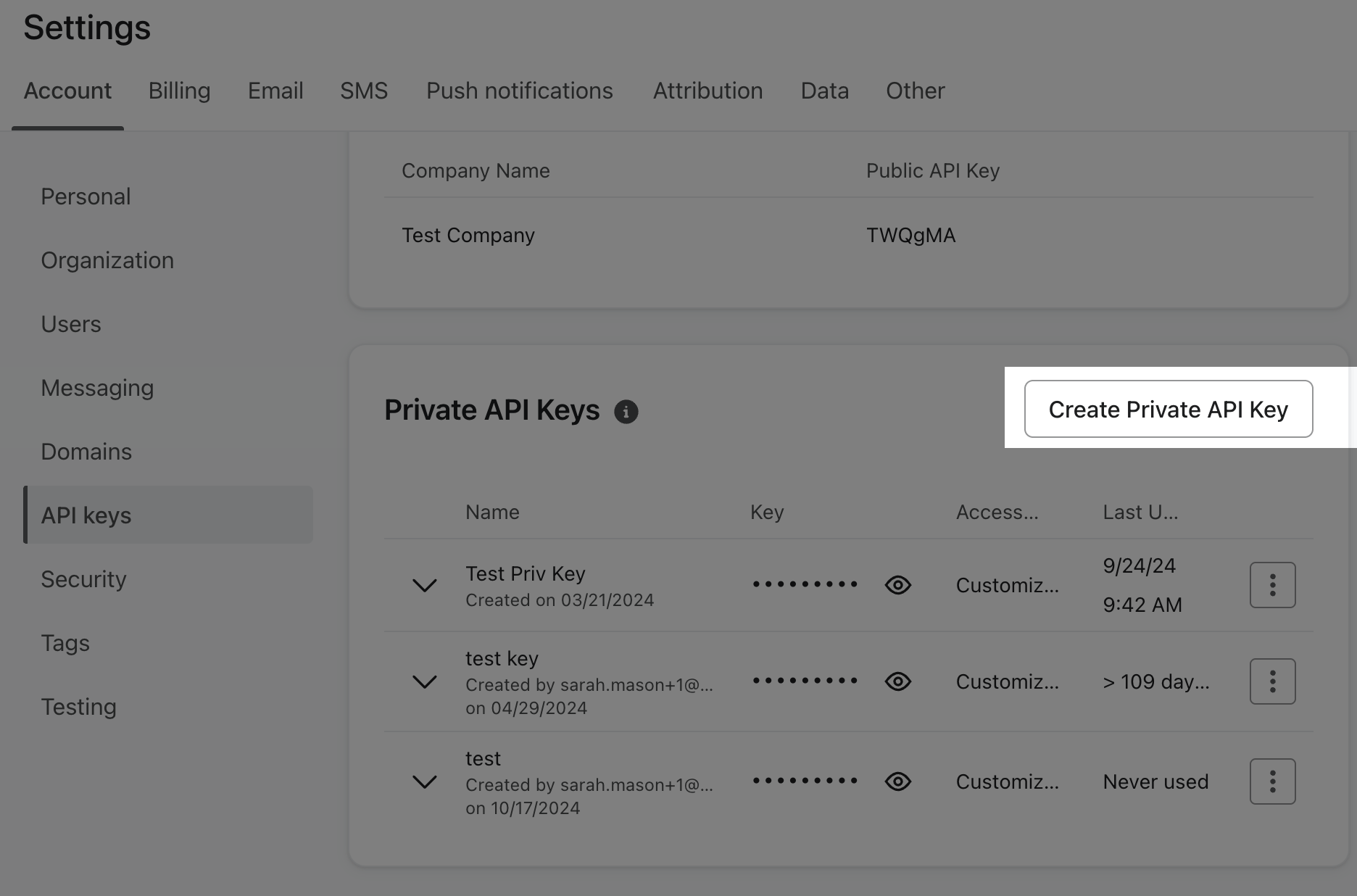
1. Log into your Klaviyo account and navigate to your account’s `Settings` page and select `API keys`.
2. Under the `Private API Keys` section, select `Create Private API Key`.
3. Provide a name for your private key and add any of the following scopes:
* `Custom Key`: Allows you to decide how much access to give the third party.
* `Read-Only Key`: Only allows third parties to view all data associated with the endpoint.
* `Full Access Key`: Allows third parties to create, delete, or make changes to anything associated with that endpoint.
Important: For your account's security, your private API keys should never be used with Client endpoints, exposed in client-side code, or made accessible from public repositories.
 4. When you have finished setting your key’s scopes, select `Create`.
5. Securely store your private key. This key is only visible one time.
#### Step 2: Connect Your Klaviyo Account
4. When you have finished setting your key’s scopes, select `Create`.
5. Securely store your private key. This key is only visible one time.
#### Step 2: Connect Your Klaviyo Account
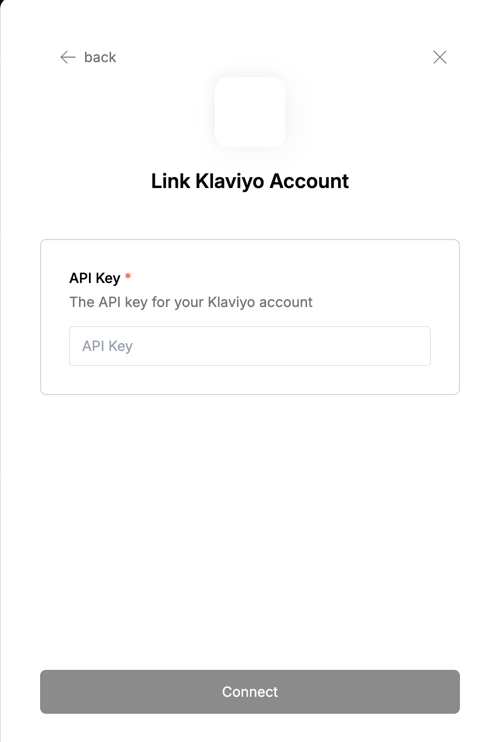 To authenticate using your API credentials, navigate to the Klaviyo authentication form. Enter your credentials as follows:
* API Key: Your Klaviyo API Key
Click "Connect" to complete the authentication.
To authenticate using your API credentials, navigate to the Klaviyo authentication form. Enter your credentials as follows:
* API Key: Your Klaviyo API Key
Click "Connect" to complete the authentication.