> ## Documentation Index
> Fetch the complete documentation index at: https://nango-marcin-get-deployments-docs.mintlify.site/llms.txt
> Use this file to discover all available pages before exploring further.
# Builder.io (Private) - How do I link my account?
# Overview
To authenticate with Builder.io (Private), you will need:
1. **API Key** – A private key that grants Nango permission to use Builder.io's Write API.
2. **Domain** – The API domain (e.g. `builder.io`) of the API you want to connect to.
This guide walks you through finding or creating your **Private API Key** and **Domain** in Builder.io.
### Prerequisites
* You must have a registered account with Builder.io.
### Instructions
#### Step 1: Finding your API domain
Different APIs within Builder.io use different domains. The **Write API** uses `builder.io`. For more details and the correct domain for each API, see the [API Intro](https://www.builder.io/c/docs/api-intro).
#### Step 2: Finding your API key
1. **Log in** to your [Builder.io](https://builder.io) dashboard.
2. Select your space and go to **Space settings** in the sidebar.
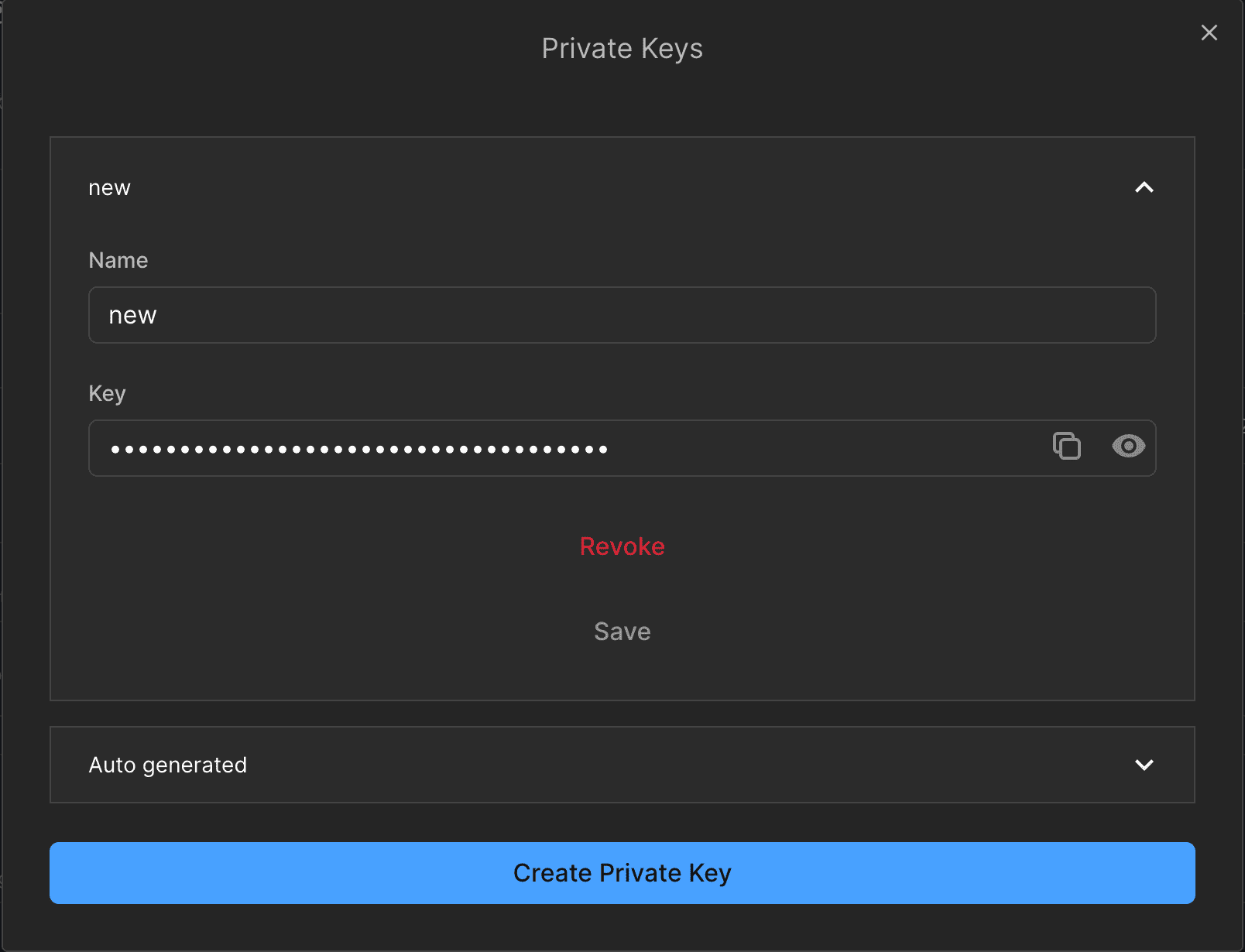
3. Under **Space Settings**, find **Private Keys** and click **Edit**.
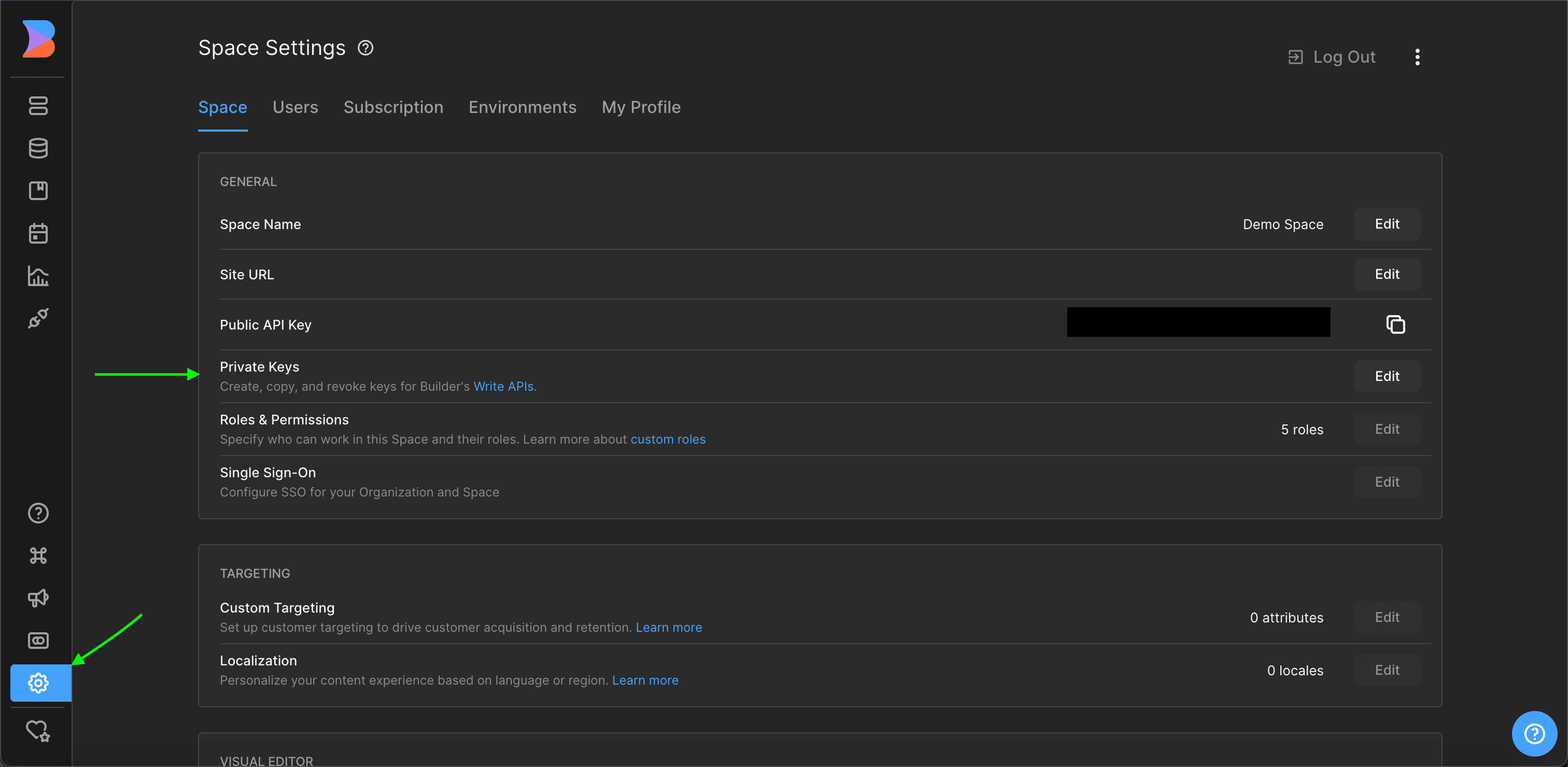 4. In the modal, view your existing private API key or create a new one if needed.
 #### Step 3: Enter credentials in the Connect UI
Once you have the **API Key** and **Domain**:
1. Open the form where you need to authenticate with Builder.io (Private).
2. Enter the **API Key** and **Domain** in the designated fields.
3. Submit the form to complete authentication.
#### Step 3: Enter credentials in the Connect UI
Once you have the **API Key** and **Domain**:
1. Open the form where you need to authenticate with Builder.io (Private).
2. Enter the **API Key** and **Domain** in the designated fields.
3. Submit the form to complete authentication.
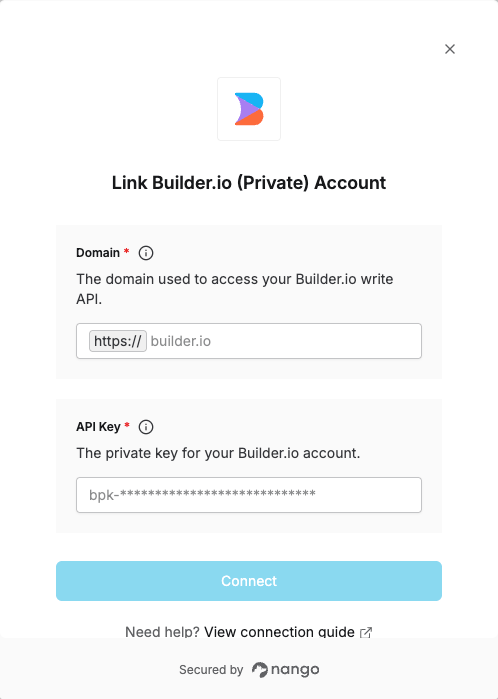 You are now connected to Builder.io (Private).